
Free of charge
No obligation
We'll respond within 1 business day
Thank you! Your submission has been successfully recorded!
Oops! An error occurred while submitting the form.
Microsoft Business Solutions · Gloster Digital Group

The rollout of Microsoft 365 is a technology project.

Making the most of it is a business task.

Microsoft 365 deployment involves integrating email, Teams, SharePoint, OneDrive, and Copilot into the enterprise environment: migration, identity and access management, security settings, and user onboarding; as a Microsoft Solutions Partner, Gloster handles this process from assessment through deployment and training to ongoing operations. Email, Teams, document management, Copilot: Microsoft 365 delivers value only when deployment, permissions, security, and day-to-day support are all in place. Our team of Microsoft-certified experts handles everything from assessment to operations so your team can focus on the work at hand.
15+
years of experience with Microsoft technology
800+
satisfied customer
400+
Microsoft 365 Implementation
200+
cloud migration
The problem

Most companies use only a fraction of Microsoft 365's capabilities

Many companies pay for Microsoft 365 licenses but use only a small fraction of the platform’s capabilities. Teams is typically used only for chatting, the SharePoint folder structure is confusing, no one dares to touch the permissions, and Copilot remains turned off. The reason for this is rarely the software itself, but rather the implementation: there is a lack of a well-planned permissions model, organized document management, and user training. The result is slower collaboration, systems running in parallel, and unnecessary licensing costs. All of this can be fixed without replacing the software. A license and usage assessment reveals what the company is paying for and what it actually uses; this is followed by implementation, the organization of permissions, and training based on workflows. In this way, Copilot is implemented only where it will deliver real time savings.
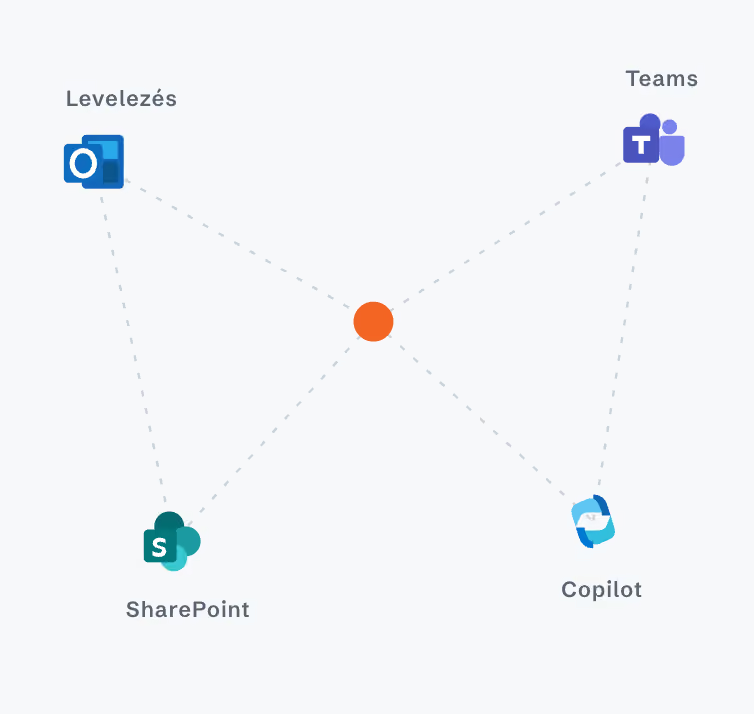
A central point connecting the logos for Mail, Teams, SharePoint, and Copilot.
This Is How We Work

We don't just hand over a system. We build a functioning environment.

1

Assessment

We assess the usage, licenses, permissions, and security settings of your Microsoft 365 environment. The result is a specific recommendation on what to keep, modify, or discontinue.
2

Introduction

We’ll migrate your email and documents, set up identity and access management, and configure the security foundations. Our team consists of Microsoft-certified experts who work without disrupting your day-to-day operations.
3

Training Sessions and Workshops

We demonstrate the capabilities of Teams, SharePoint, and Copilot through everyday workflows. We don’t just teach features—we develop practical business practices.
4

Operations, Expert Support

We have the internal capacity to handle operations, license management, updates, and user support. We continuously monitor and address changes in the environment.
Please take the Microsoft 365 survey
Results

What benefits can a well-structured Microsoft 365 environment offer?

According to Forrester's 2025 model, Microsoft 365—when properly implemented and used—can not only accelerate collaboration but also generate measurable financial results.
1.5 hours
Weekly time savings per user in the collaboration
223%
projected return over three years
Source: Forrester Consulting, *The Total Economic Impact™ of Microsoft 365 for Business*, 2025. Research commissioned by Microsoft; the results are based on a financial model developed for a sample of 150 U.S. companies and therefore cannot be considered a guarantee applicable to all companies.
How Is Gloster's Approach Different?

Four Reasons Why You Get More with Microsoft 365 Than with a Single Subscription

We're starting from our current situation

We assess the existing Microsoft environment, usage patterns, and business needs. This ensures that our recommendation is not based on a generic package, but rather on the organization’s actual situation.

Identity, Devices, and Data in a Single System

We tailor the necessary security controls to the environment: identity and access management, Intune-based device management, Microsoft Defender, and data protection.

IT Services Built on Security

Identity management, endpoint protection, and compliance settings as part of the implementation, rather than as a retroactive patch. ISO 27001-certified operations aligned with NIS2 requirements.

Copilot: Business Purpose First, Then a License

We’re building the rollout of Copilot on specific workflows, appropriate permissions, and prepared corporate data. This way, we can measure where it delivers real time savings and where it doesn’t yet make sense to scale it up.
The Microsoft 365 Ecosystem

A platform that covers all aspects of business operations

Microsoft 365 is a subscription-based enterprise platform that combines email (Outlook), communication and collaboration (Teams), document management (SharePoint, OneDrive), office applications (Word, Excel, PowerPoint), task management (Planner), and an AI assistant (Copilot) into a single license. The applications are built on a shared identity and access management system, so the same document is accessible in Teams, SharePoint, and OneDrive, and the same access rules apply to it. The platform’s value stems from the fact that these tools work in tandem: if the folder structure, permissions, and security settings are organized, Copilot also provides more reliable answers because it has access to the relevant data. If these are missing, the company is using only a fraction of the capabilities for which it pays the license fee.


MS Teams logo

Teams

Communication and collaboration all in one place. Chat, video calls, and file sharing.
Copolit Logo

Copilot

An AI assistant for daily document and email tasks, with real-time suggestions.
SharePoint Logo

SharePoint

Centralized document management with easy access and version control.
OneDrive Logo

OneDrive

Secure cloud storage, synced across all your devices.
Outlook Logo

Outlook

Email, calendar, contacts, and tasks—all in one place.
MS Word LogoMS Excel LogoPowerPoint Logo

Word · Excel · PowerPoint

The classic office suite in the cloud, with collaborative editing.

Planner

Task assignment, tracking, and deadline management—all in one place.
OneNote Logo

OneNote

Shared notes and ideas, organized and accessible from anywhere.
Who is this for?

For growing medium-sized and large companies, regardless of industry

If your company has more than 50 employees, operates across multiple locations or uses a hybrid work model, and email, file sharing, or collaboration regularly cause friction, implementing Microsoft 365 for Business is one of the IT initiatives with the fastest return on investment. We work across all industries: manufacturing, services, retail, and finance.
Request a quote
Consultation

Let's discuss how your company can get the most out of Microsoft 365

During a 30-minute consultation, we’ll review your current operations and come back to you with specific recommendations regarding your licensing structure and the steps for implementation. This isn’t a sales pitch: if you have a better solution, we’ll let you know.
Free of charge
No obligation
We'll respond within 1 business day
Thank you! Your submission has been successfully recorded!
Oops! An error occurred while submitting the form.
FAQ

Frequently Asked Questions

How long does a Microsoft 365 deployment take?

The duration of a Microsoft 365 implementation depends on the size of the company and the systems to be migrated; therefore, we document the exact schedule in writing at the end of the assessment; we do not start a project without a schedule. We carry out the migration in phases, within pre-agreed time windows, so that daily work is not interrupted and email and documents remain accessible at all times.

How much does it cost to implement and support Microsoft 365?

Pricing for the Microsoft 365 assessment and implementation is customized; the first 30-minute consultation is free and requires no commitment. During this session, we’ll review your current operations and come back with specific recommendations regarding your license portfolio and the implementation steps. The licensing and usage assessment reveals what the company is paying for, what the team actually uses, and where there is untapped value or unnecessary licensing costs.

What does a Microsoft 365 deployment involve, from migration to operations?

It covers four phases: assessment (usage, licenses, permissions, security settings), implementation (email and document migration, identity and access management, security fundamentals), training and workshops on using Teams, SharePoint, and Copilot, as well as operations including license management, updates, and user support. Upon request, Azure, Microsoft Security, Power Platform, and Dynamics 365 Business Central can also be included.

When is it a good idea to work with an external partner to implement Microsoft 365?

This solution is ideal for companies with more than 50 employees that operate across multiple locations or use a hybrid work model, where email, file sharing, or collaboration regularly cause friction. We work with manufacturing, service, retail, and financial companies across all industries. Most of our clients already have a Microsoft 365 subscription and want Teams, SharePoint, and Copilot to deliver real business value.

How should you go about implementing Microsoft 365 and Copilot?

We start with a free, 30-minute consultation, during which we review your current operations, and then we’ll come back with specific recommendations regarding your licensing structure and the implementation steps. If you already have a subscription, we’ll start with a license and usage assessment, and only then will we make recommendations. The assessment will also show whether your document management and access permissions are ready for the Copilot implementation.

What does a company need to have in place for a Microsoft 365 migration?

The implementation begins with an assessment of the existing Microsoft 365 environment (usage, licenses, permissions, security settings), so access to these is required. The migration takes place during pre-arranged time windows. Team participation is required for training sessions and workshops, as we demonstrate the capabilities of Teams, SharePoint, and Copilot through daily workflows. Data remains within the company’s own corporate environment, and the work is conducted in accordance with ISO 27001-certified processes.
Last updated: November 25, 2026