Microsoft Business Solutions · Gloster Digital Group

A Microsoft 365 license is a tool in and of itself. We’ll turn it into a system that works for us.

Email, Teams, document management, Copilot: Microsoft 365 delivers value only when deployment, permissions, security, and day-to-day support are all in place. Our team of Microsoft-certified experts will guide you through the entire process—from assessment to operation—so your team can focus on the work at hand.
200+
years of experience with Microsoft technology
800+
satisfied customer
400+
Microsoft 365 Implementation
200+
cloud migration
Logo placement
Microsoft Solution Partner
The problem

Most companies use only a fraction of Microsoft 365's capabilities

The license fee keeps coming every month, yet Teams is used only for chat, the SharePoint folder structure is confusing, no one dares to touch the permissions, and Copilot remains turned off. This isn’t a software issue, but an operational one: an underutilized platform leads to slower collaboration, parallel systems, and unnecessary licensing costs. The good news is that all of this can be resolved through planning, implementation, and training—without the need for a replacement.

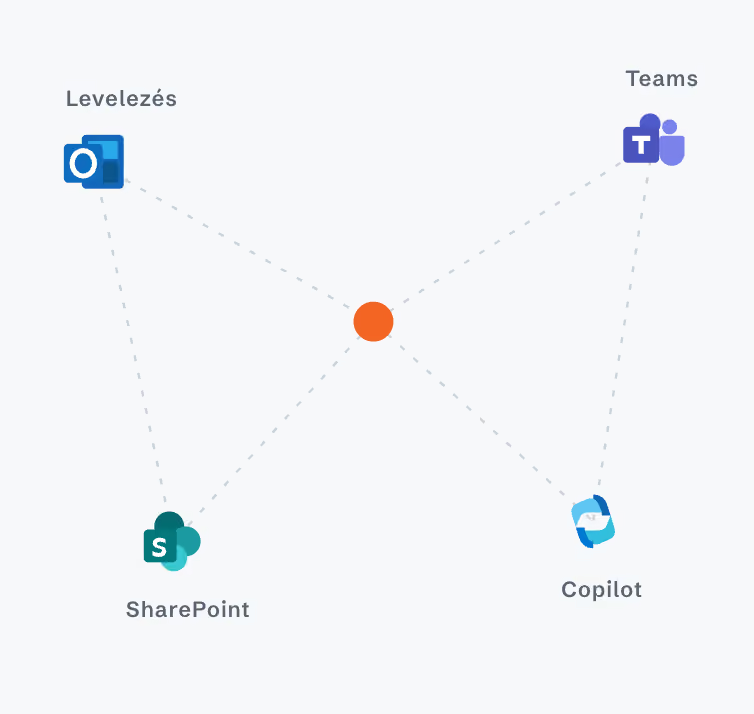
A central point connecting the logos for Mail, Teams, SharePoint, and Copilot.
This Is How We Work

From assessment to operation, all under one roof

Every company's technology environment holds its next growth opportunity. The question is not which new tools to introduce, but how to make better use of what is already there. Every project starts with the same question: where does the biggest business loss, or the biggest untapped opportunity sit today? Our work is guided by four principles.
1

Assessment

We’ll assess your current IT environment, collaboration practices, and license inventory, and then recommend the Microsoft 365 configuration that best suits your company. We won’t leave any unnecessary licenses in the system.
2

Introduction

We’ll migrate your email and documents, set up identity and access management, and configure the security foundations. Our team consists of Microsoft-certified experts who work without disrupting your day-to-day operations.
3

Training

Through workshops, we’ll teach your colleagues how to make Teams, SharePoint, and Copilot an integral part of their daily work. A platform is only as valuable as the team actually uses it.
4

Operations

We continue to provide the system as a managed service: updates, license management, and support. There’s always someone you can turn to.
Results

Agile methodologies deliver business value faster

Using our agile project methodology, we deliver ready-to-use solutions and involve employees from the very beginning to ensure that the implementation is based on real needs.
4.7X
faster project implementation
300%
more employees involved
How Is Gloster's Approach Different?

Four Reasons Why You Get More with Microsoft 365 Than with a Single Subscription

We're starting from the business side

First, we understand your processes; then we turn to the technology. We tailor the licensing structure to your operations—not the other way around.

We deliver from end point to end point

As a custom software developer and end-to-end IT partner, assessment, migration, integration, and operations are all handled by a single team. One point of responsibility, one contract, one point of contact.

Safety is standard equipment

Identity management, endpoint protection, and compliance settings as part of the implementation, rather than retroactive patching. ISO 27001-certified operations.

AI frees up capacity

When implementing Copilot, we plan to identify which recurring tasks it will take over from your team so that you have more time for meaningful work.
The Microsoft 365 Ecosystem

A platform that covers all office operations

MS Teams logo

Teams

Communication and collaboration all in one place. Chat, video calls, and file sharing.
Copolit Logo

Copilot

An AI assistant for daily document and email tasks, with real-time suggestions.
SharePoint Logo

SharePoint

Centralized document management with easy access and version control.
OneDrive Logo

OneDrive

Secure cloud storage, synced across all your devices.
Outlook Logo

Outlook

Email, calendar, contacts, and tasks—all in one place.
MS Word LogoMS Excel LogoPowerPoint Logo

Word · Excel · PowerPoint

The classic office suite in the cloud, with collaborative editing.

Planner

Task assignment, tracking, and deadline management—all in one place.
OneNote Logo

OneNote

Shared notes and ideas, organized and accessible from anywhere.
Who is this for?

For growing medium-sized and large companies, regardless of industry

If your company has more than 50 employees, operates across multiple locations or uses a hybrid work model, and email, file sharing, or collaboration regularly cause friction, implementing Microsoft 365 for Business is one of the IT initiatives with the fastest return on investment. We work across all industries: manufacturing, services, retail, and finance.
History and Growth

More than twenty years of building

For more than twenty years we have been building the engineering knowledge, organisational capacity and international presence that complex technology programmes can be entrusted to. We have expanded our capabilities through organic growth and targeted acquisitions. As we grow, we can take on even more technology responsibility within a single organisation. Detailed information on our stock exchange listing and financial results is available on our Investor Relations page.
Free of charge
No obligation
We'll respond within 1 business day
Thank you! Your submission has been successfully recorded!
Oops! Something went wrong while submitting the form.
Frequently Asked Questions

Frequently Asked Questions

We already have a Microsoft 365 subscription. What else can you offer?
This is how most of our clients come to us. In these cases, we start with a license and usage assessment: we look at what you’re paying for, what your team is actually using, and where there’s untapped value or unnecessary costs. Only then do we make recommendations—not before.
How long does an implementation take?
The exact timeline depends on the size of the company and the systems to be migrated; we will document this in writing at the end of the assessment. We do not start any project without a schedule.
Does work come to a halt during migration?
We schedule the migration so that it does not disrupt daily operations. The transition takes place in stages, within prearranged time windows.
What will happen to our data?
We operate in accordance with ISO 27001-certified processes; part of the implementation involves setting up access control and identity management, as well as configuring compliance settings. Your data remains within your own corporate environment.
Are we ready to roll out Copilot?
This survey shows that. Copilot provides real value where document management and access permissions are in order, which is why we’re building its implementation on that foundation.